How it works
Three simple steps and your photos are on their way.
Set your password
Click the link in the invitation email and set your own password.
Browse your photos
Open your album and browse the photos your photographer prepared for you.
Select and order
Mark the photos, choose print formats or canvas sizes and submit your selection.
What you can order
In addition to classic printed photos, you can also order canvases or the entire album.
- Photo prints (10×15, 13×18)
- Canvas prints from 30×45 to 120×80
- Buy all photos from the album
- Postal delivery or personal pickup
What it looks like
Your dashboard
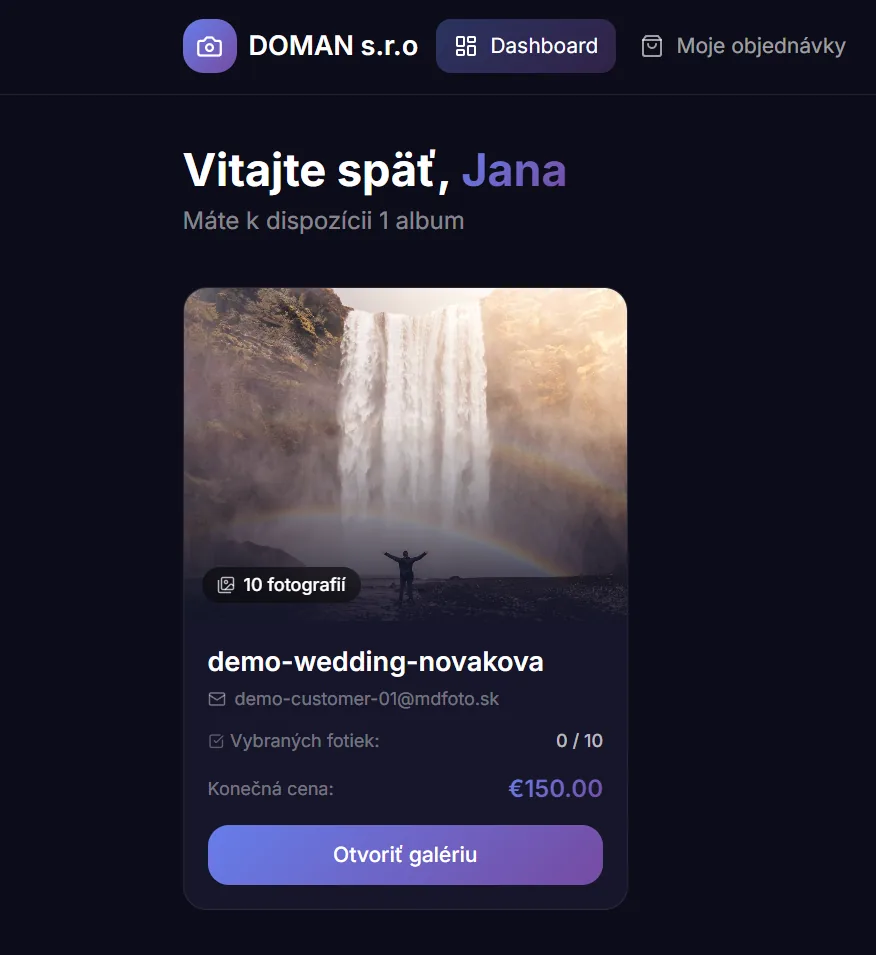
After signing in you see all albums your photographer prepared. At a glance you know which album awaits your selection and what the order status is.
Full album overview
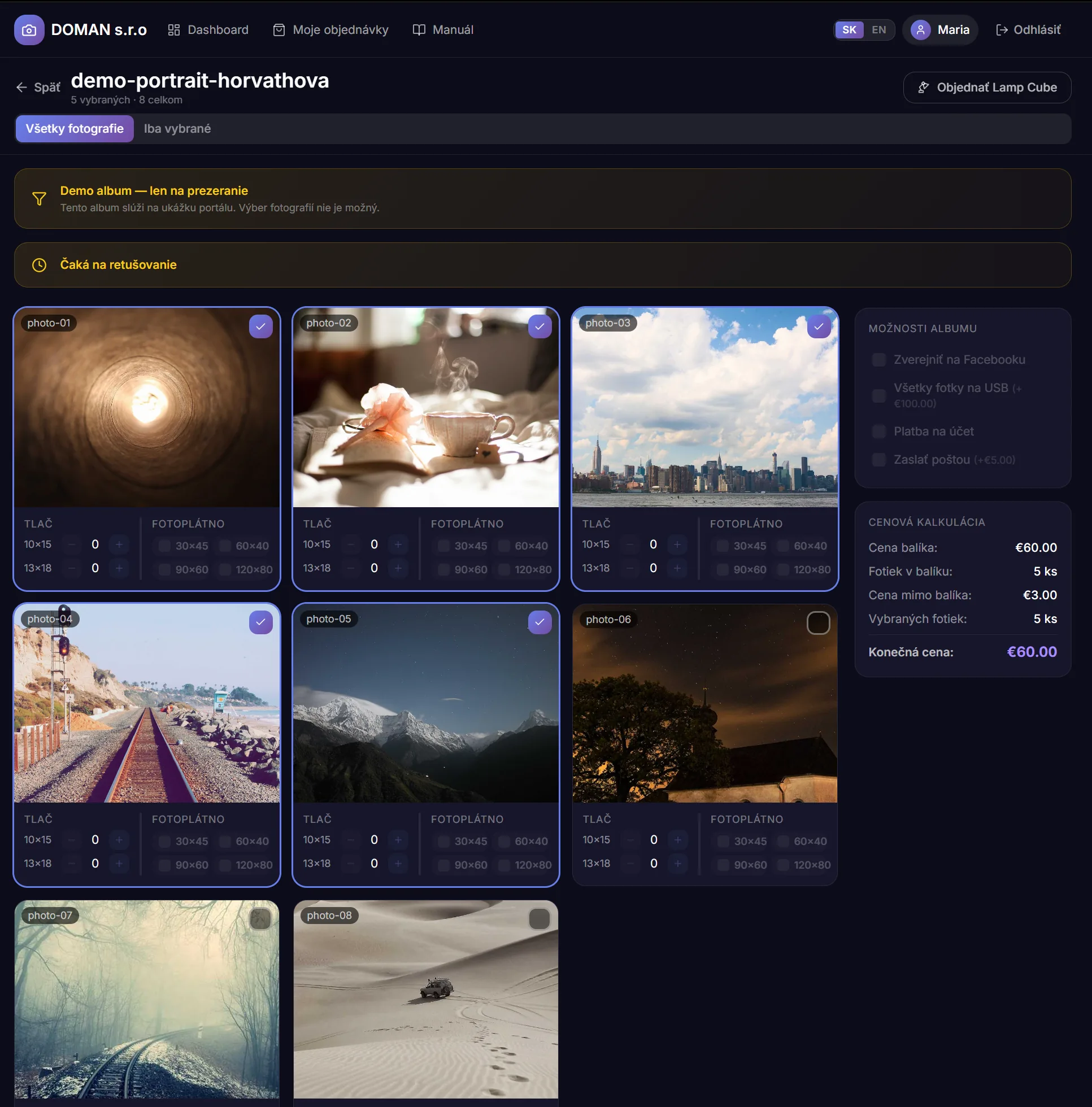
All photos in one place. Browse the album at full size, compare shots and decide at your own pace — no time pressure.
Selection and order
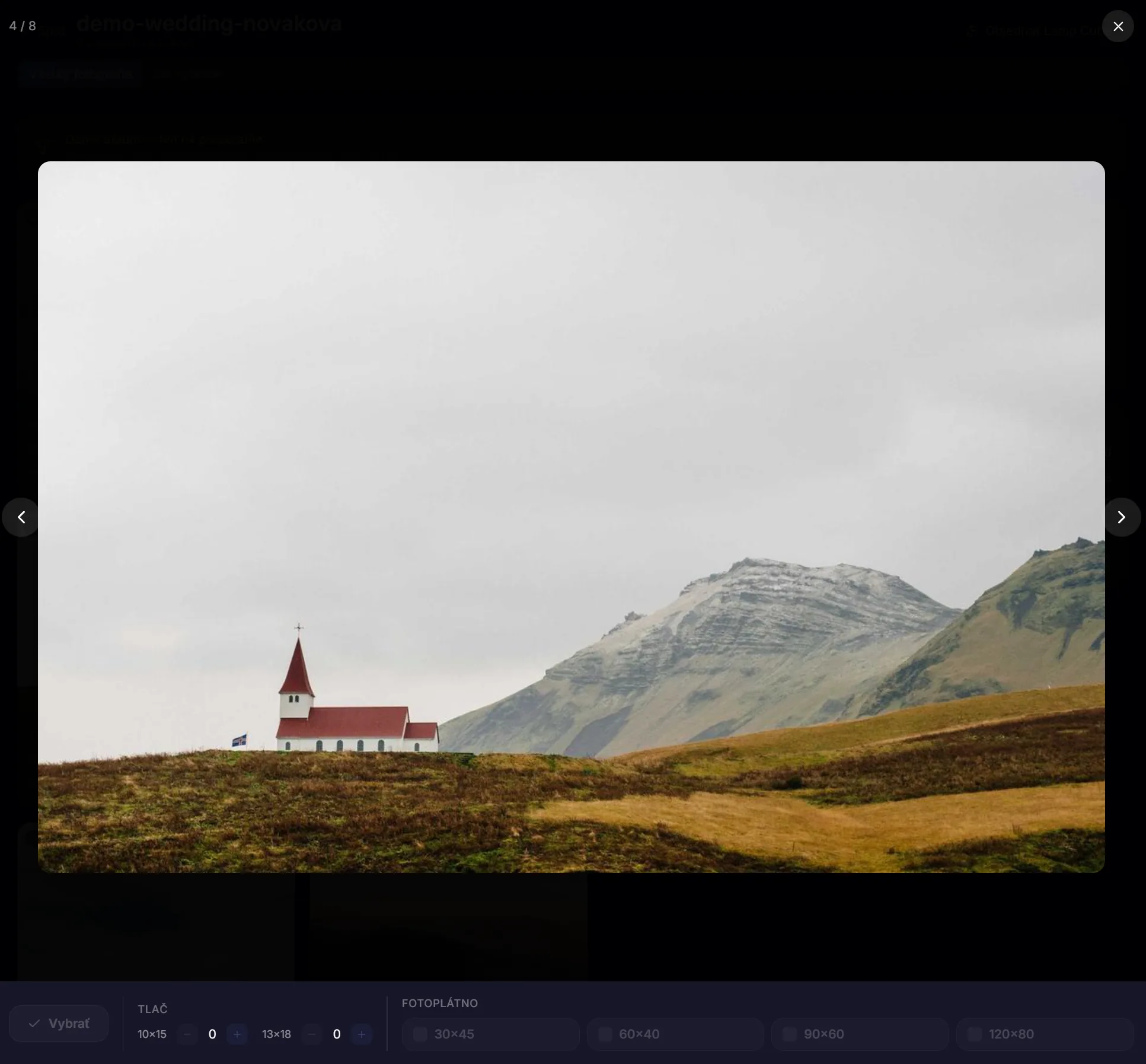
Click a photo to select it. Choose the number of copies, format and canvas size. The price is calculated automatically in real time.
Order status
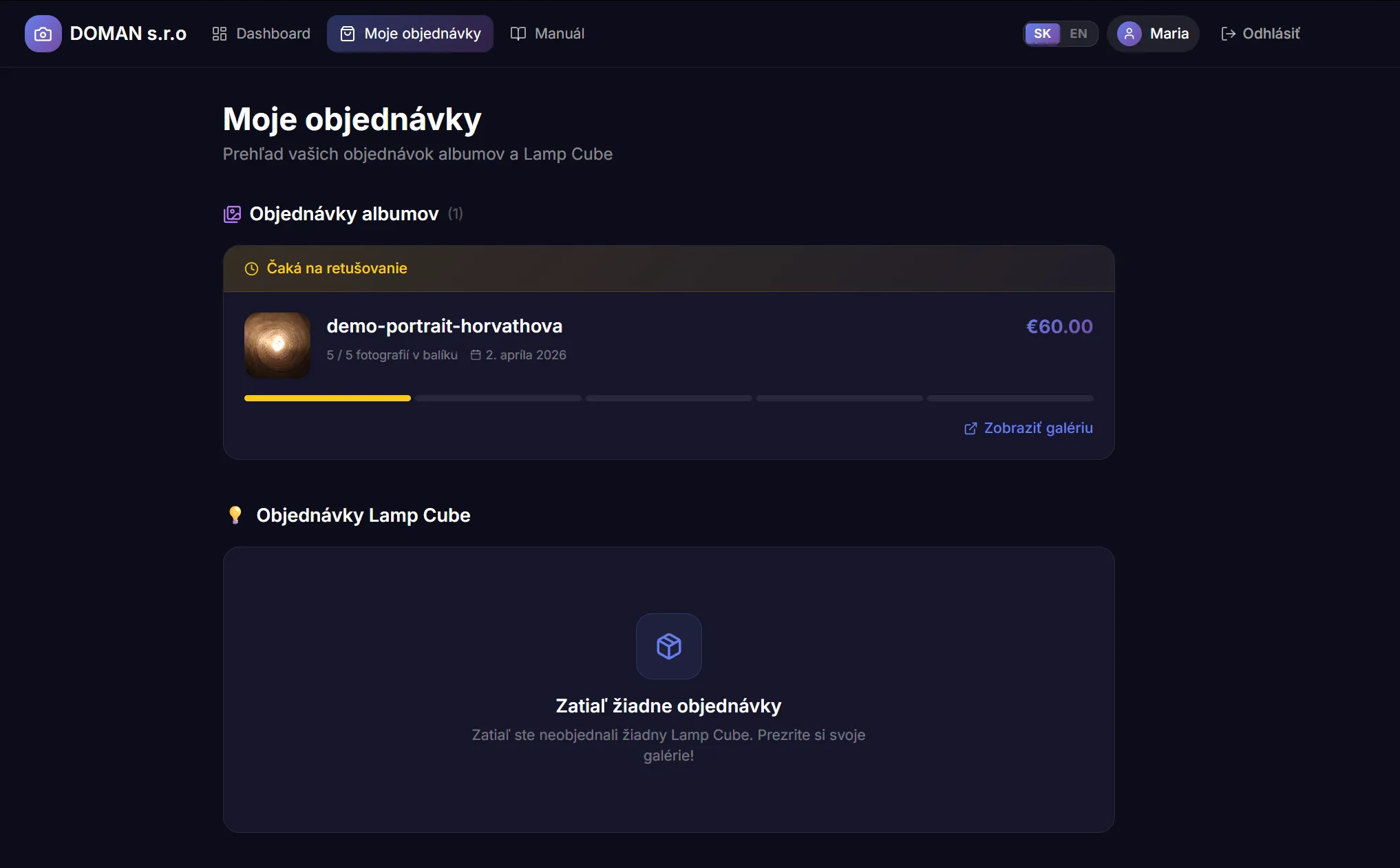
Track where your order is — from retouching through printing to pickup. We will notify you by email about every update.
Your dashboard
After signing in you see all albums your photographer prepared. At a glance you know which album awaits your selection and what the order status is.
Full album overview
All photos in one place. Browse the album at full size, compare shots and decide at your own pace — no time pressure.
Selection and order
Click a photo to select it. Choose the number of copies, format and canvas size. The price is calculated automatically in real time.
Order status
Track where your order is — from retouching through printing to pickup. We will notify you by email about every update.